Overview:
Worked as a member of Sailthru's Product team as Sr. UX Designer partnered with Kah Chan, Design Director of Product. The work shown on this page is just a small sample of the work performed out of the many upgrades and new product features that were designed and built to better the user's experience when using Sailthru's platform.
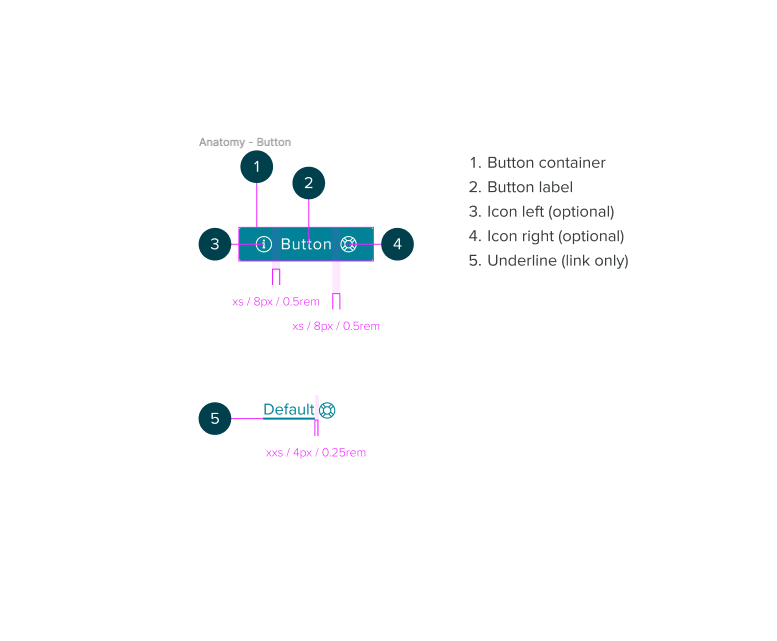
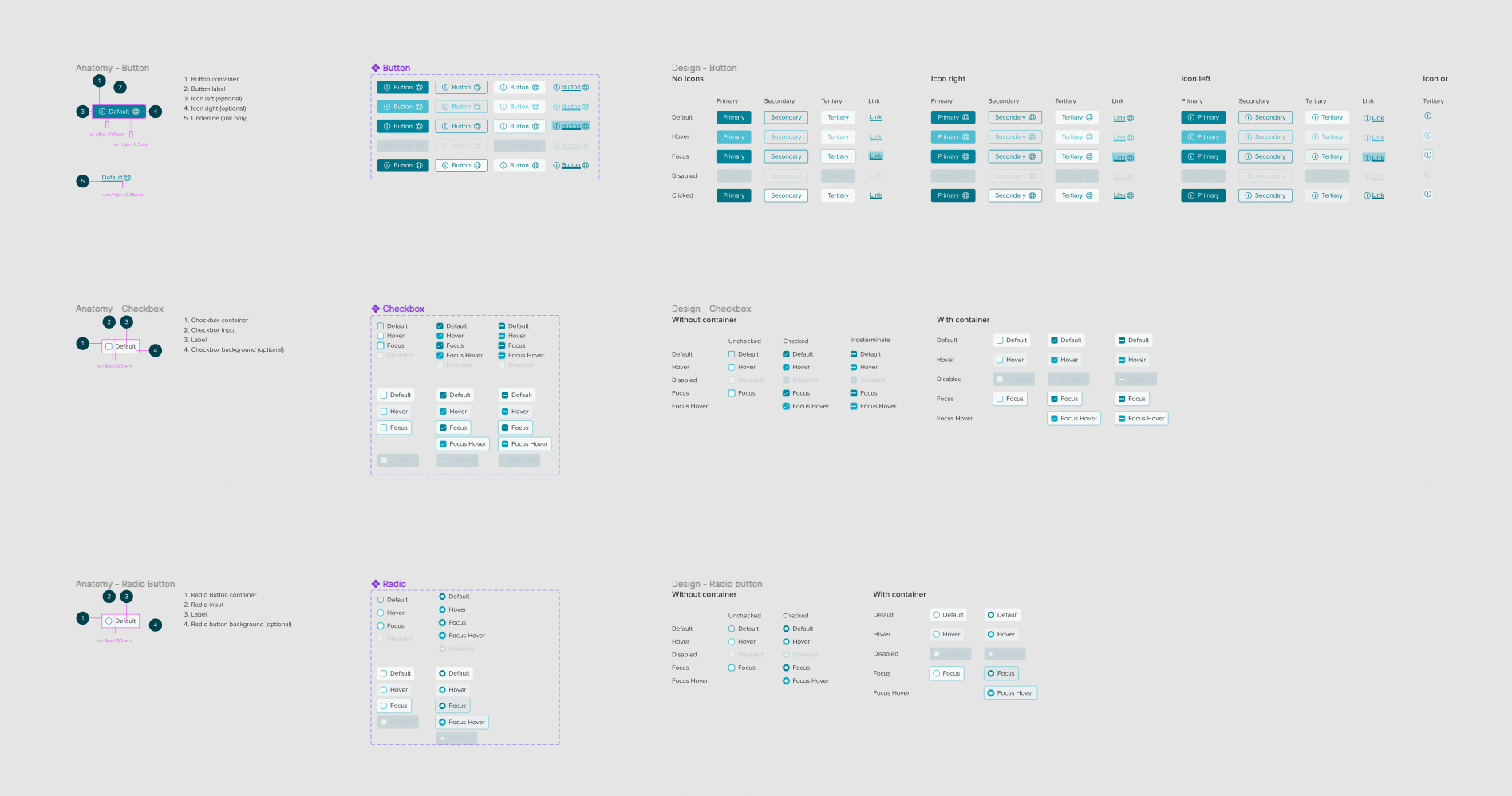
Beginning with the design system. Migrated Sailthru's existing design system from Sketch to Figma and began new version of Sailthru's UI affectionately shortened and referred to as STUI v3.
At the core of the new design system was building a dev-friendly system that would align design and code. STUI v3 took advantage of Figma's design tokens to be able to connect components to code and export variables into a format that's compatible across design and dev with dev friendly component documentation.
Upcoming new feature releases required changes to Sailthru's navigation and information architecture. The navigation was the first universal area of the product to be upgraded with the new UI/UX.
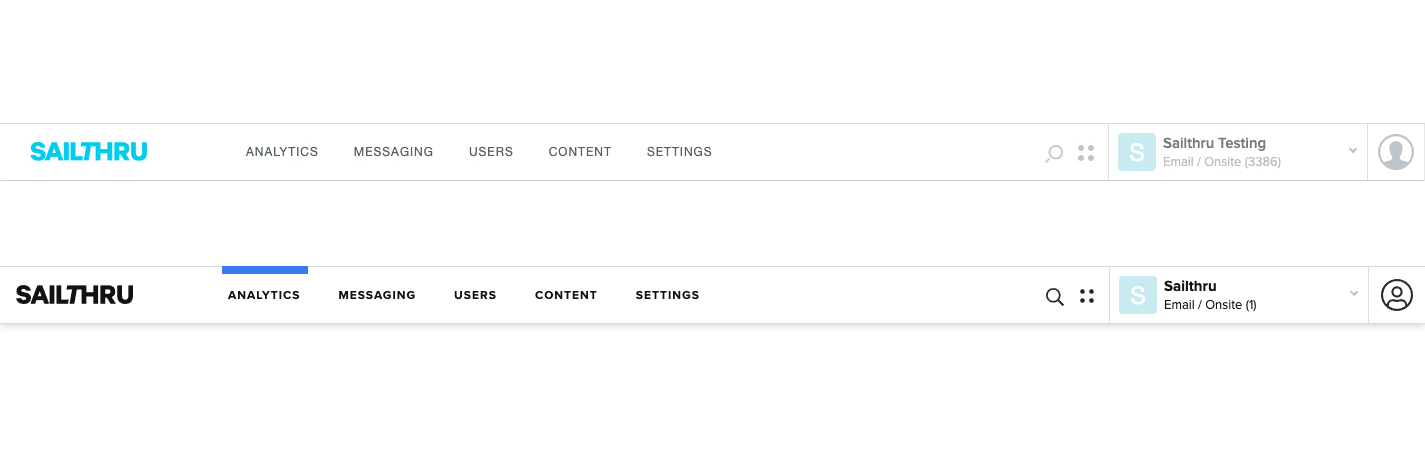
Part of the upgrade to the information architecture was the migration of the mobile platform into the main platform. The sunsetting of some old features and the additon of some new. For the mobile platform users the new combined navigation would be a big interface change.
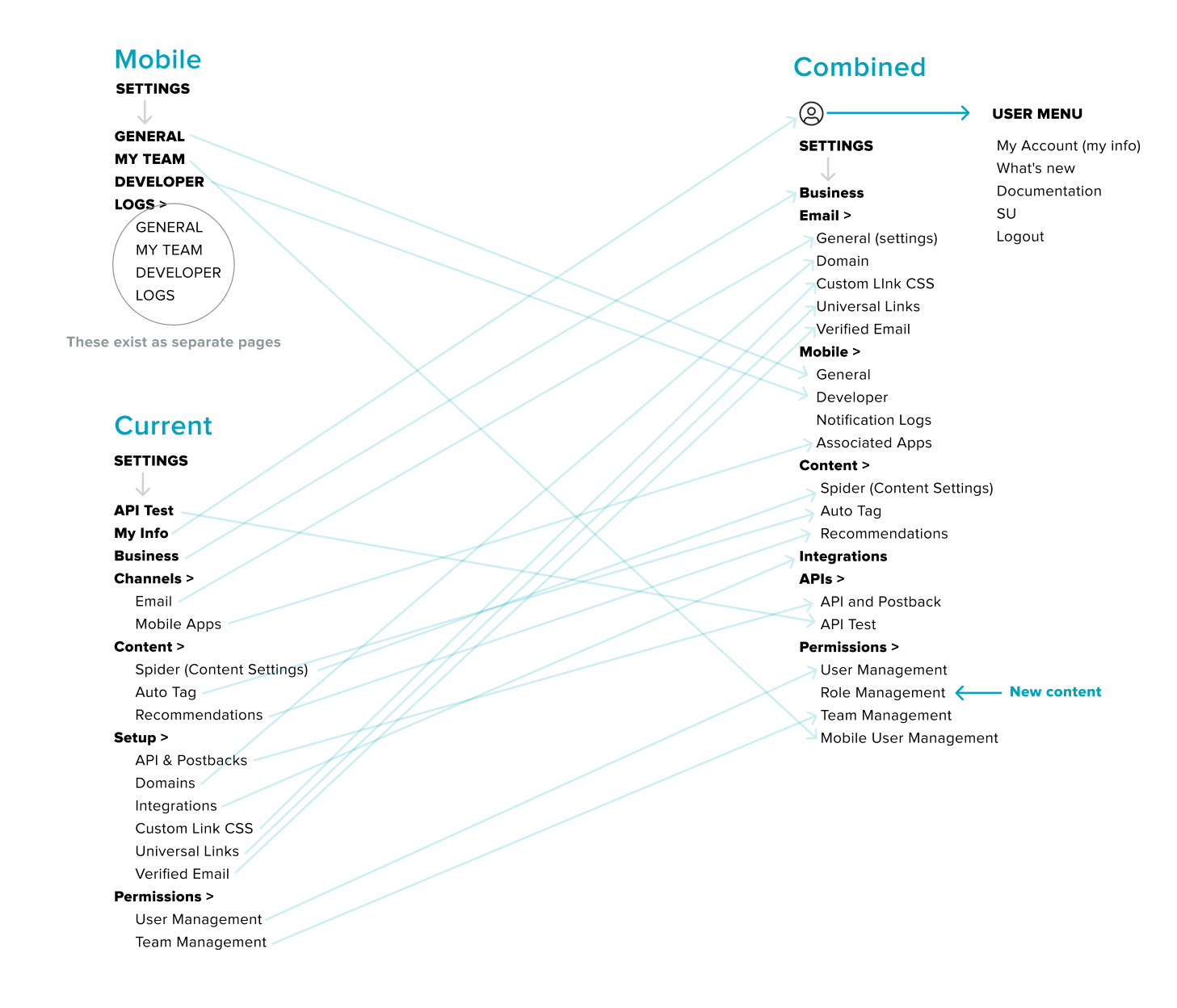
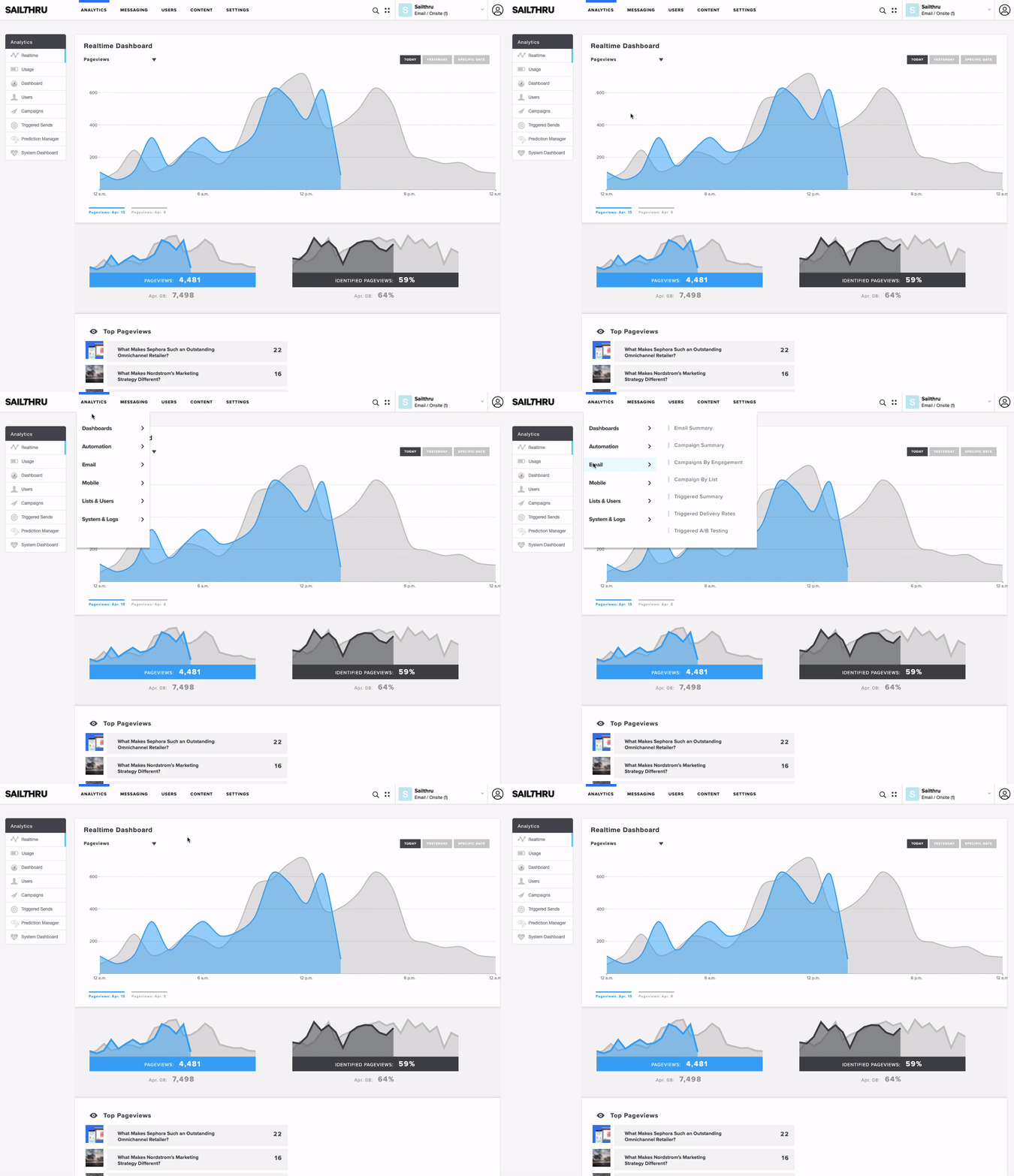
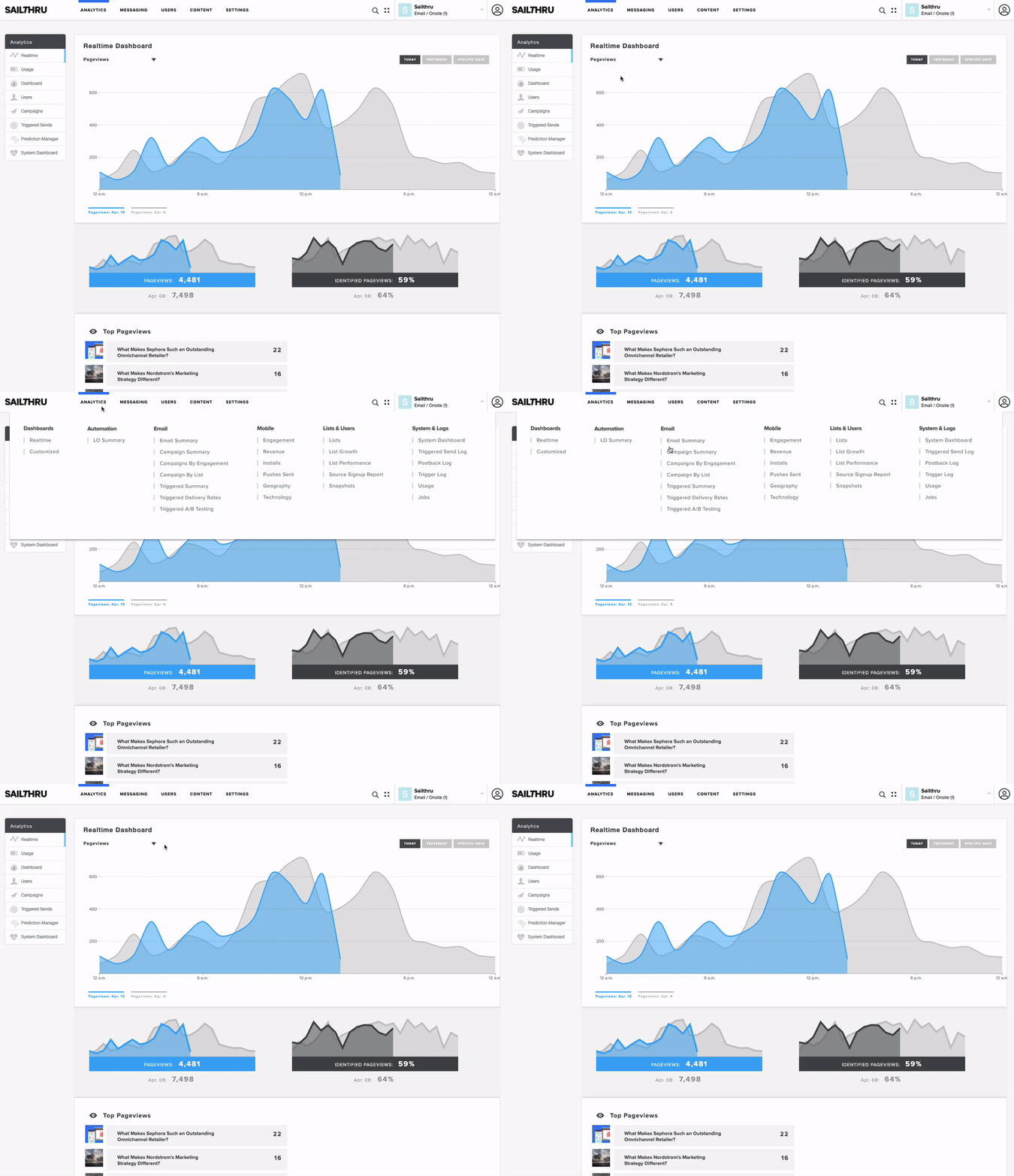
Lot's of effort went into ensuring the upgrade was seemless and intuitive as possible for the B2B clients (mostly marketers) using the navigation. User research was critical and involved client interviews with mockups, prototyping, surveys and A/B testing. One of the design considerations was whether to introduce a new "mega menu" or continue with the "fly-out" menu with information changes.
In the planning stage we conducted voluntary opt-in user testing for some accounts. Participants were presented with a navigation task, followed by an A/B selection of which menu type they preferred and an option to share any feedback.
Sample of the menu prototypes users interacted with in the tests. Users were presented with either prototype and asked to navigate to the following path;
Analytics > Email > Campaign Summary
Partnering with specific product teams:
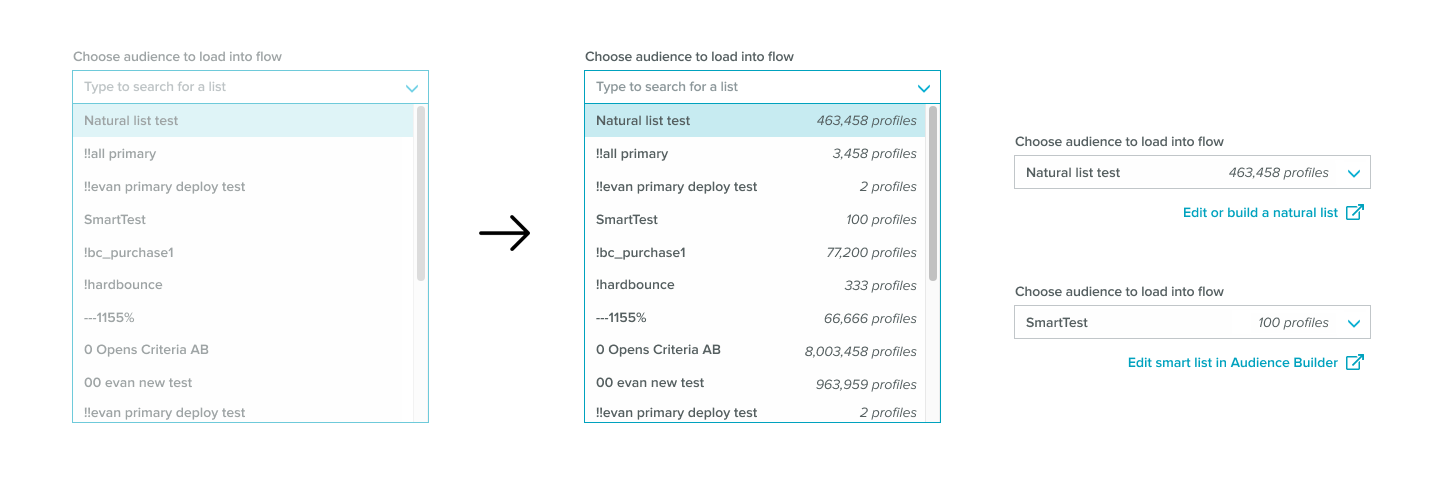
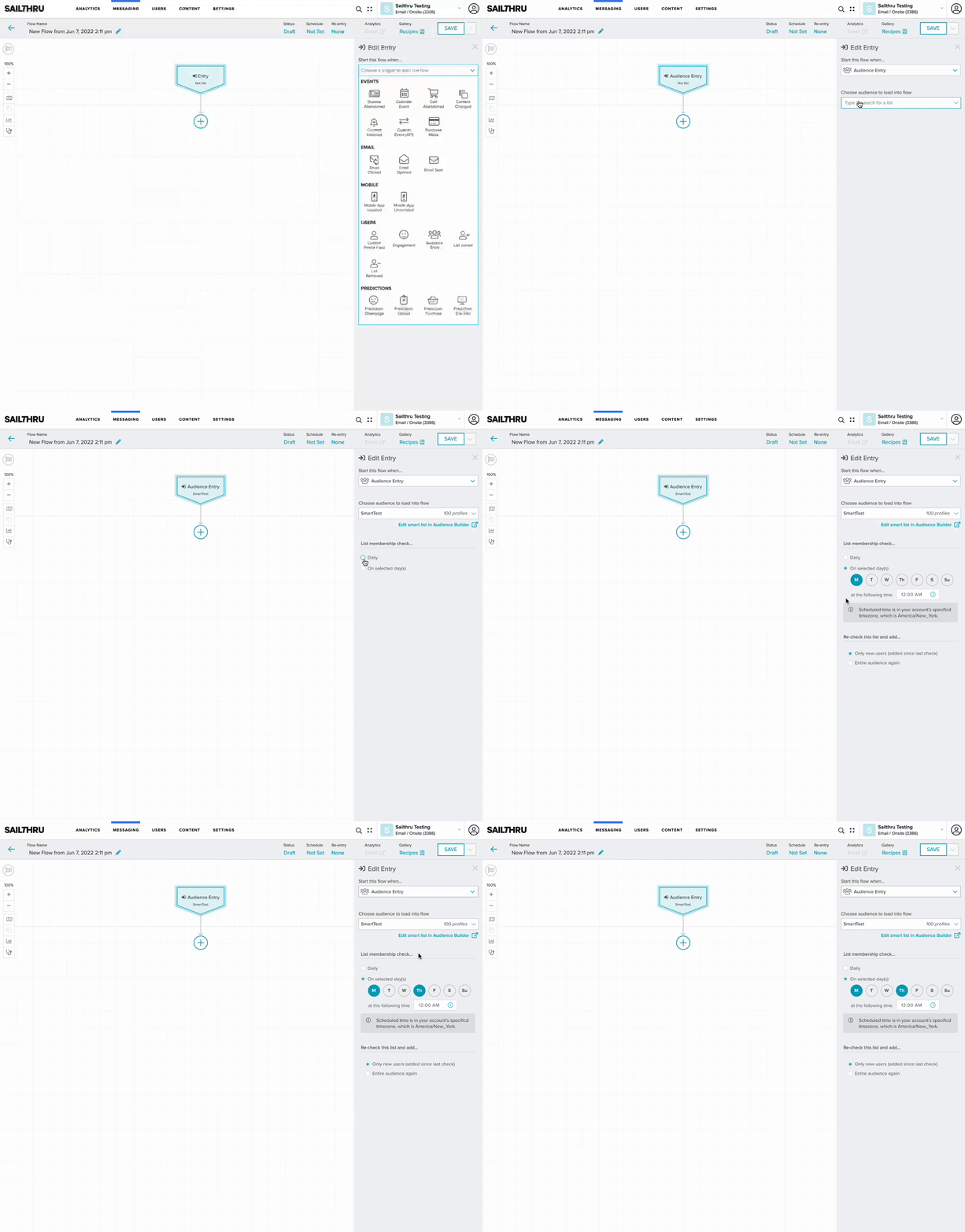
Partnered with the Lifecycle Optimizer team (LO Team) in the design and release of a new flow entry feature titled Audience Entry, that would allow a marketer to start an automated flow from a curated audience list.
Core Customer Use Cases:
- Replace recurring campaigns for daily, weekly, monthly newsletters.
- Triggers LO flows based on user updates
- Use complex queries to trigger and automate curated flows based on specific levels of engagement
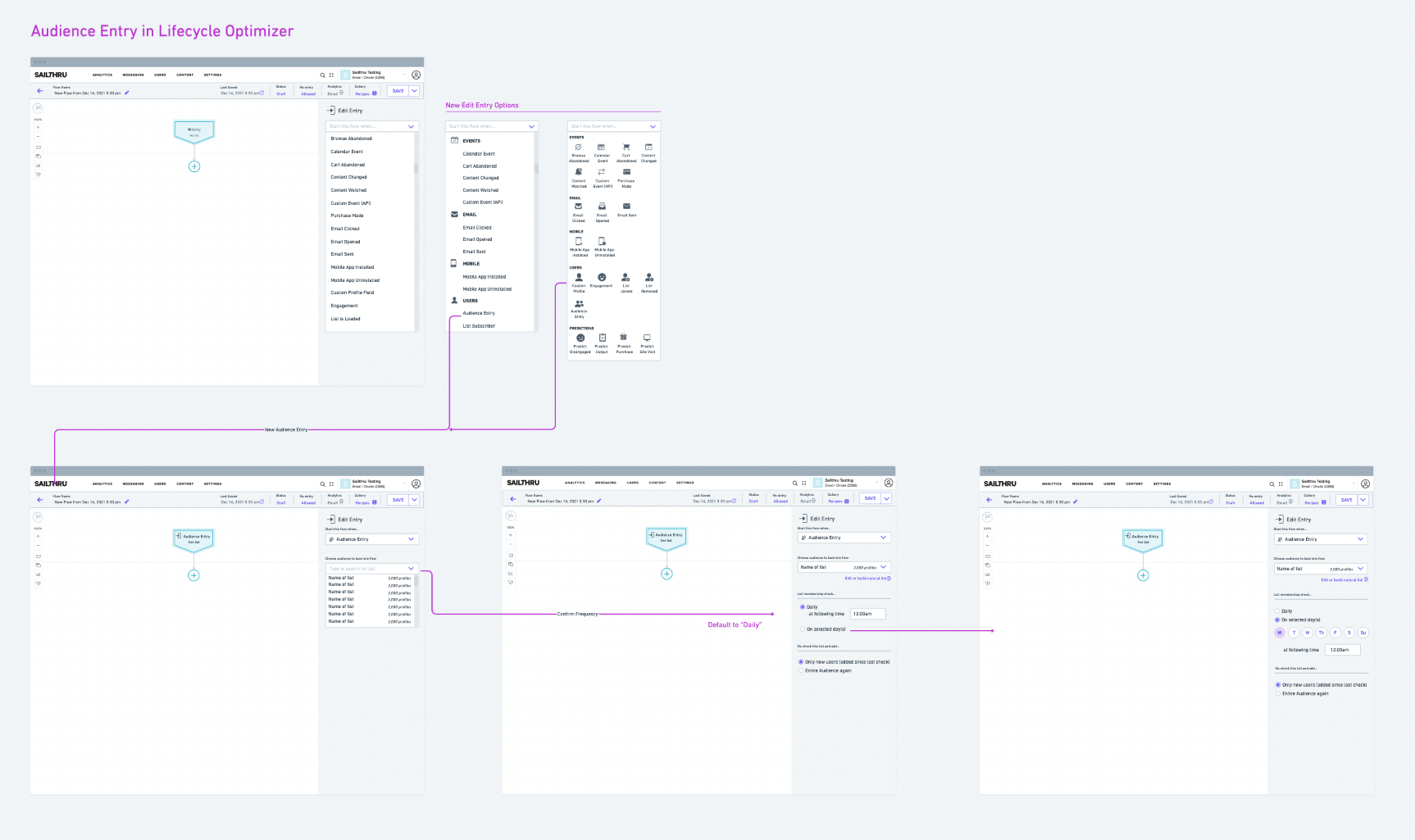
Ideation and iteration through wireframes created in whimsical and shared with LO Team to capture feedback and finalize feature requirements and user flows. One of the UI objectives with this new entry was to bring visibility to all entries.
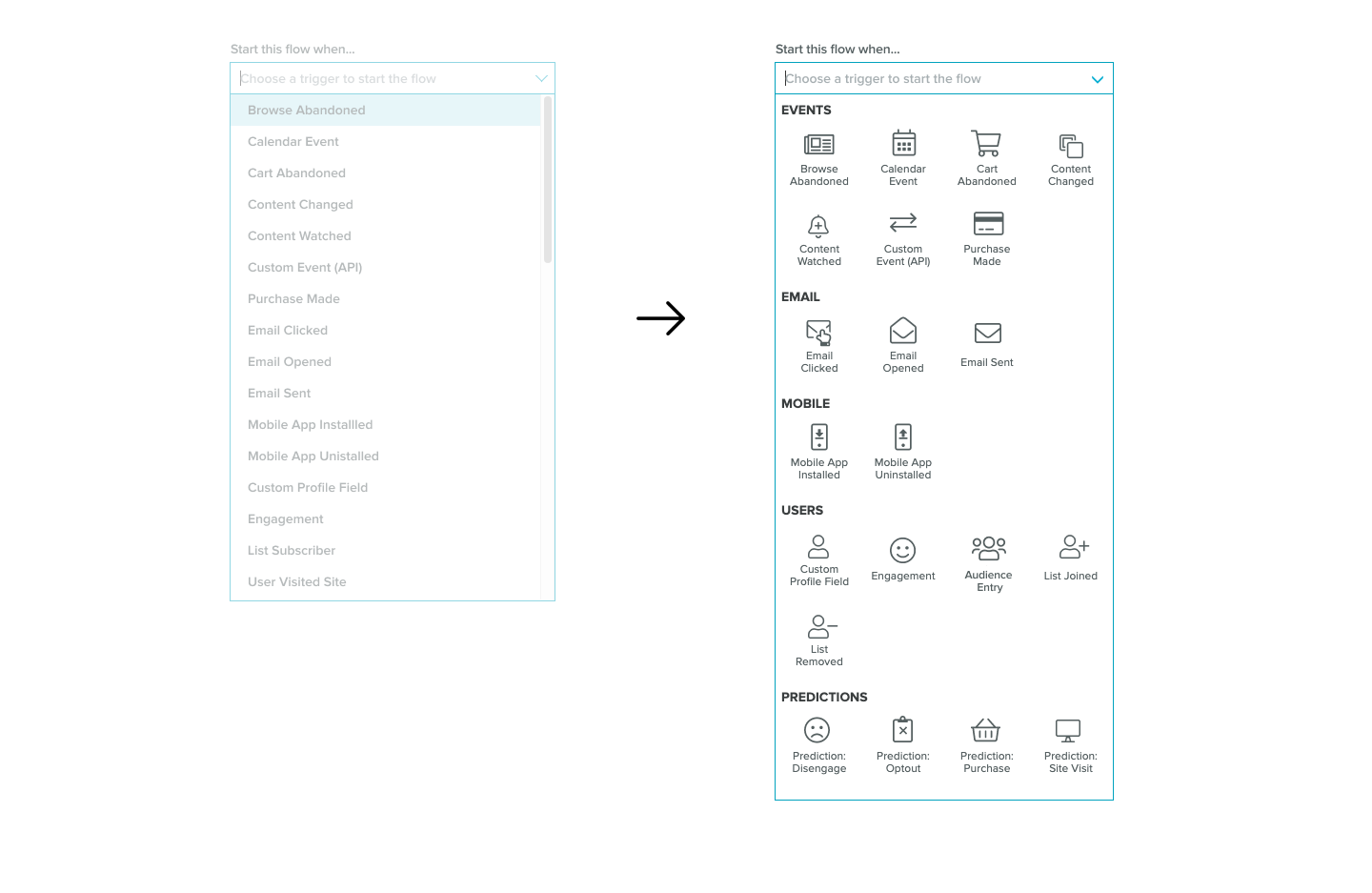
Visibility became a team win, took the opportunity to bring better visibility for the user to the information in panels and dropdowns involved in the process of starting a new flow.
Mobile Migration - Stage 1:
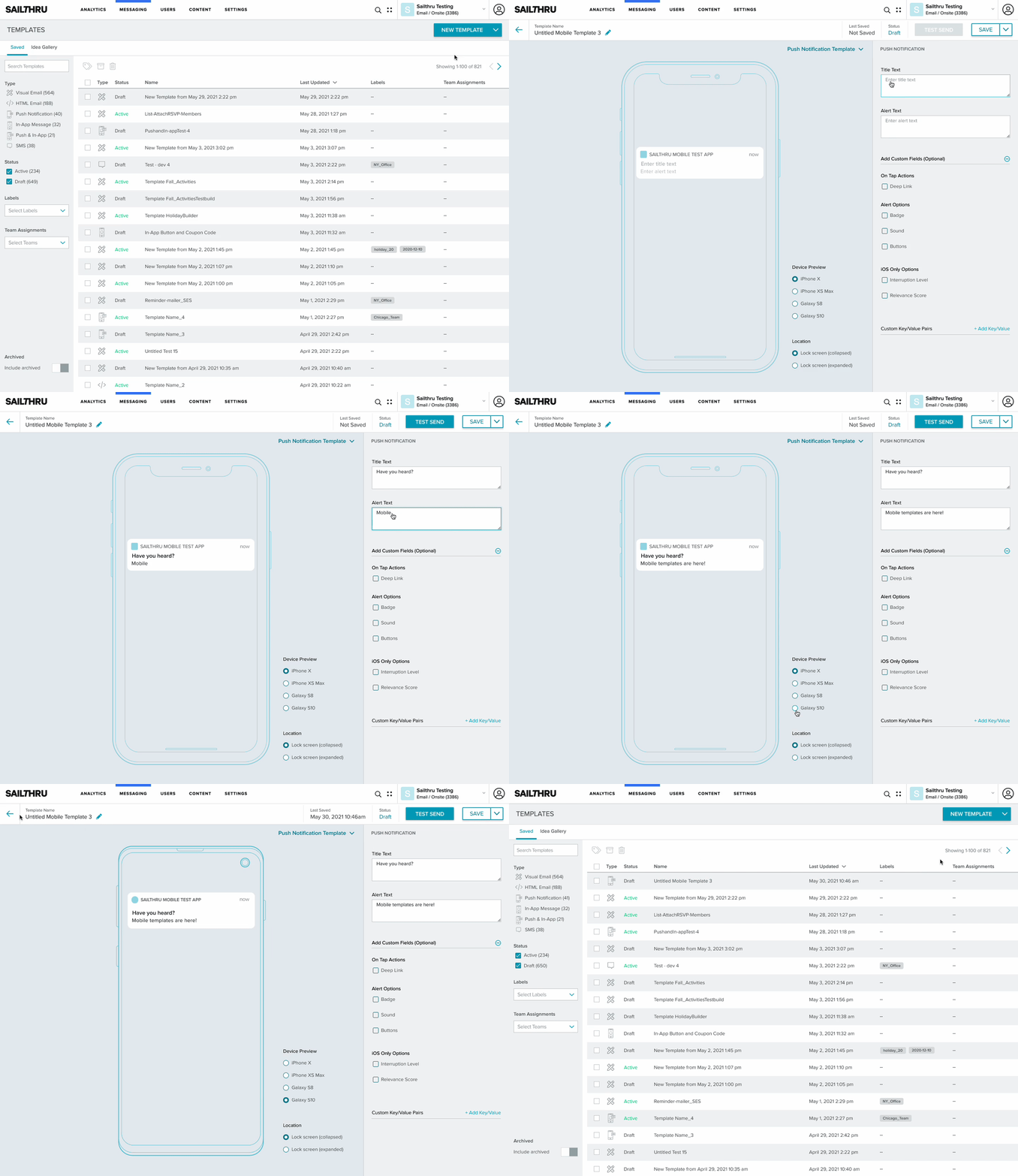
In the migration staging for Mobile Apps into the core Sailthru platform, the first stage requirements were to mirror the steps/user patterns of creating an email template in the core product.
Email templates could be built and managed in the Templates List, once created these templates could then be deployed in campaigns, they could also be set up inside Lifecycle Optimizer user flows.
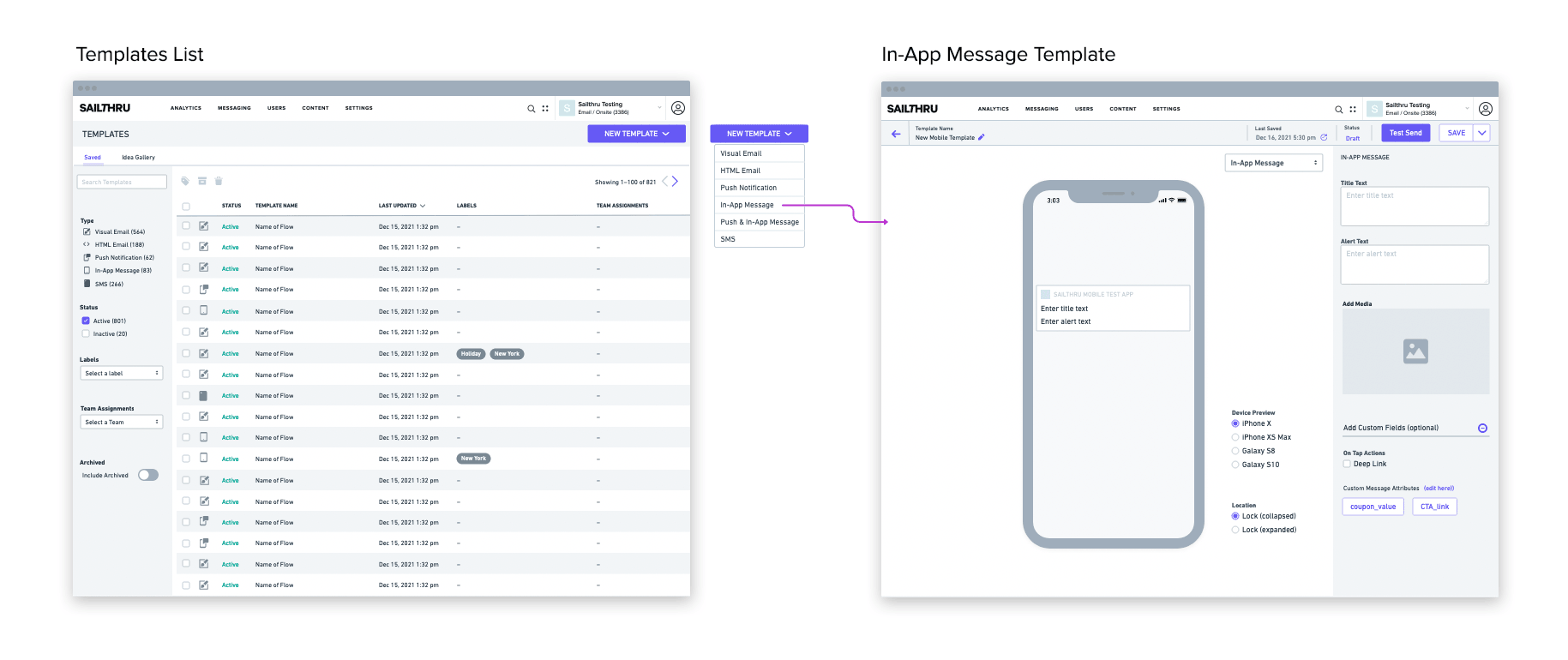
The three mobile template types were In-App Message, Push Notification, and a combined Push Notification & In-App Message. Users needed the ability to easily switch between the three and easily change/reverse decisions if needed.
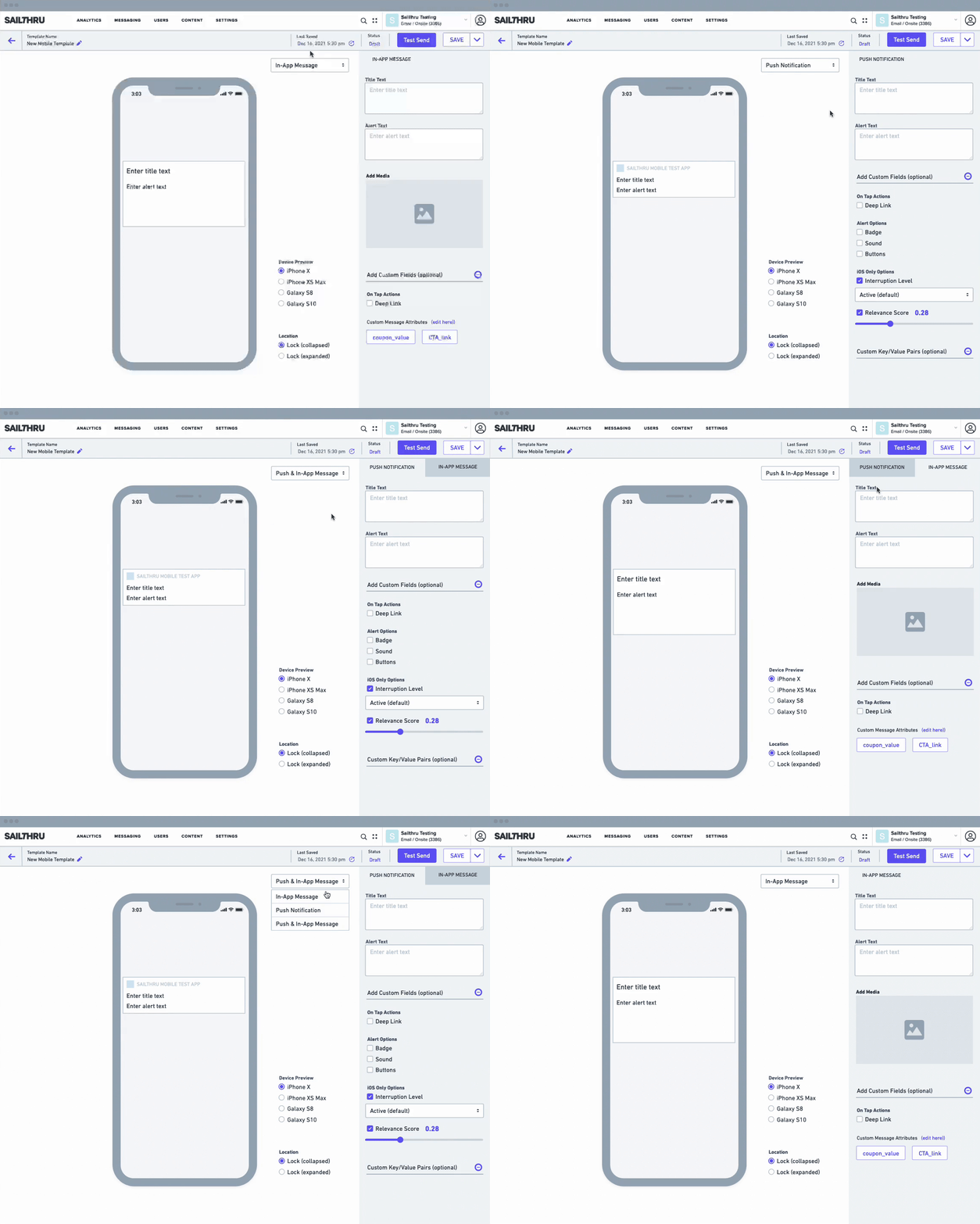
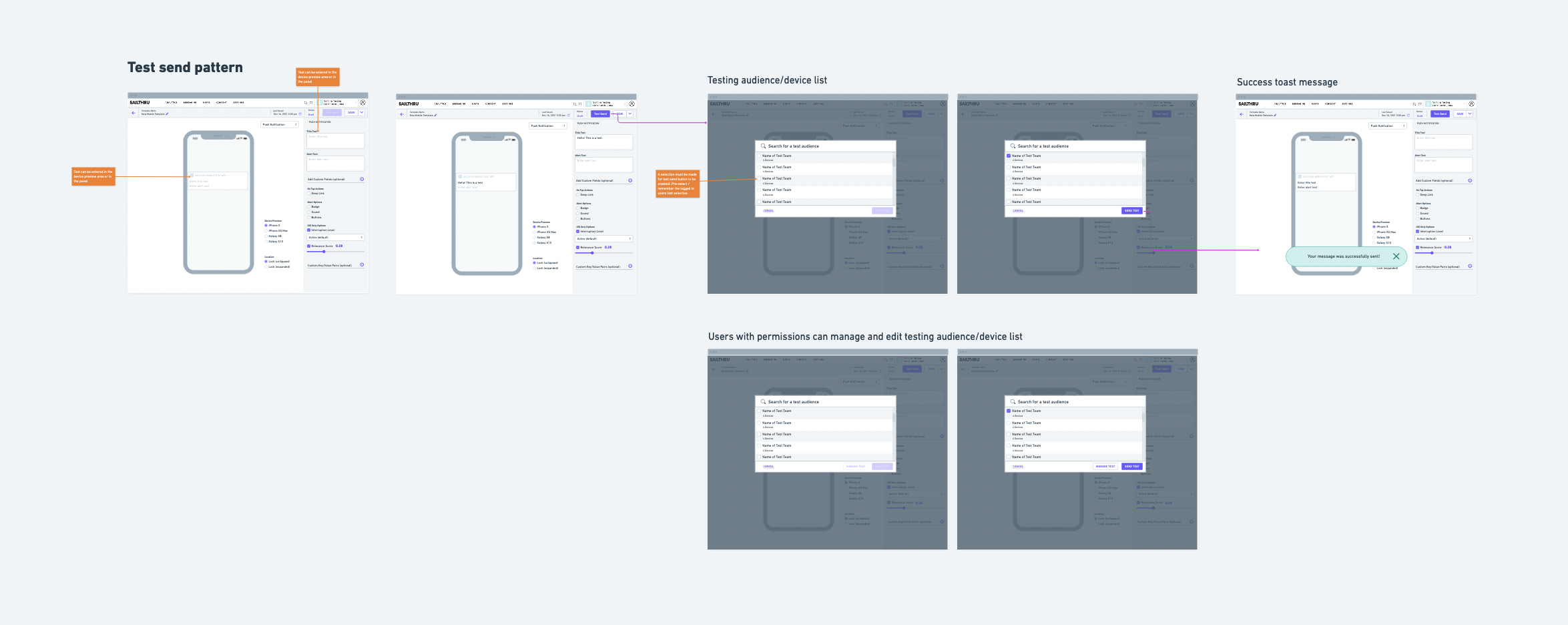
The mobile template editor emulated two sizes of iPhones and two sizes of Android phones. Users could deploy tests to actual devices for accurate displays through a permissions based test audience list.
Title and Alert text could be entered through the text input fields in the right panel or directly on the device preview.